
Your Support Code identifies you to BinaryLane Support as the holder of your account. If you contact us from an email address that is not registered on your account, include the current code in your message and we can discuss and action your account as if you had written from the registered address.
Important: Keep your Support Code private. Anyone who has it can contact support about your account as you, so only share it with someone you would trust to act on your behalf.
Where to find your Support Code
- Log in to your BinaryLane account: https://home.binarylane.com.au/login
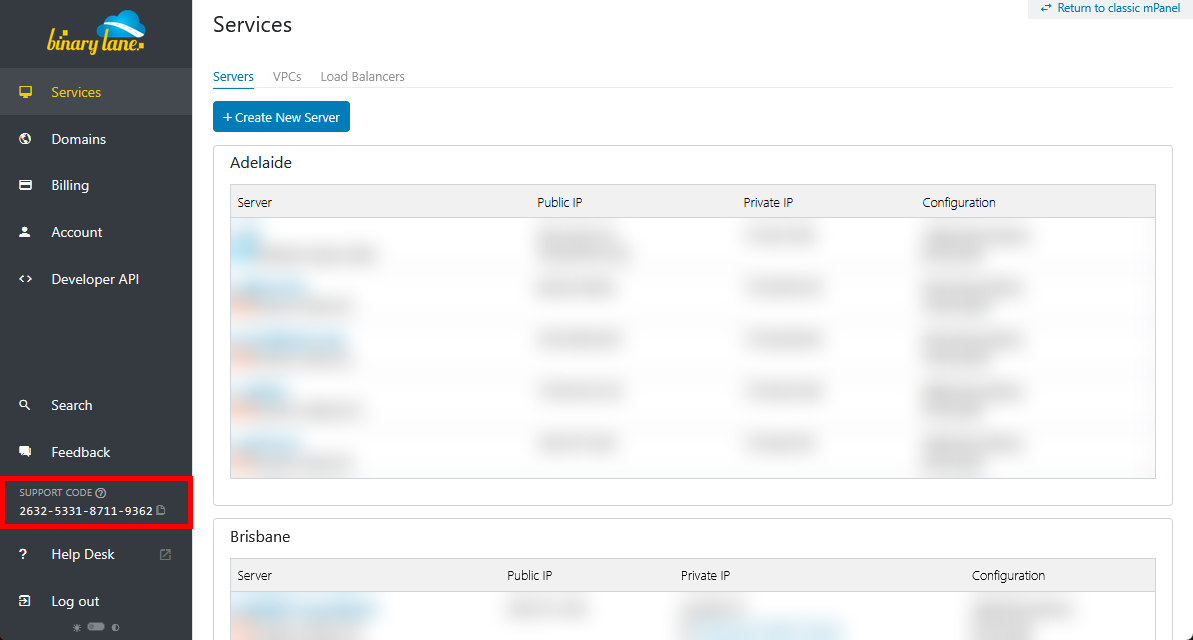
- Find Support Code near the bottom of the left-hand navigation pane in mPanel.
- It is also shown on your Account page under Security, where you can regenerate it.
When your Support Code changes
The code changes every Sunday, whenever you change your account password, and whenever you choose Regenerate next to Support Code on your Account page under Security. Regenerating replaces the code immediately: anyone you have given the old code to, including support staff on an open ticket, will need the new one. Always quote the code currently shown in mPanel.
If you need help with your account, contact BinaryLane Support.