
Start by navigating to the server in mPanel that requires configuration, and take note of the LAN IP or Seconday IP(s) you want to configure; then, follow the instructions below.
Notes:
- The gateway address uses the first three parts of the Secondary address being added, and replaces the last number with 1.
- The netmask on a LAN IP will be 255.255.0.0 and the netmask on Secondary IP(s) 255.255.255.0
Examples:
- Adding the IP address 103.1.165.254 would use the gateway address 103.1.165.1 and netmask 255.255.255.0
- Adding the LAN IP address 172.20.165.254 doesn't require a gateway address and would use the netmask 255.255.0.0
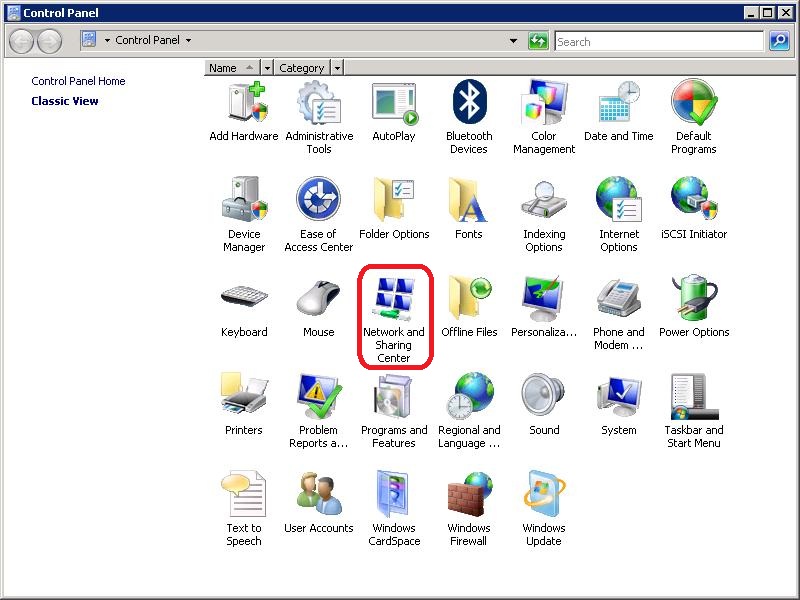
Step 1: Open Control Panel and then Network and Sharing Center.
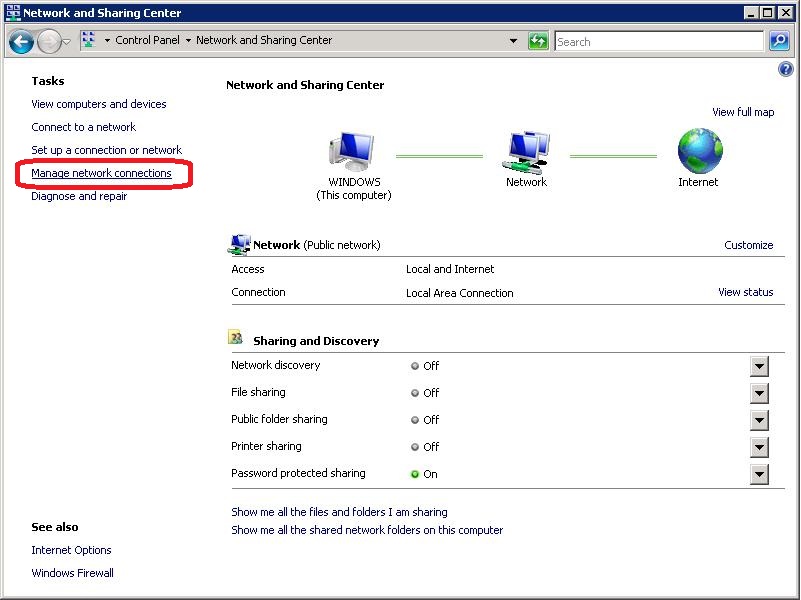
Step 2: Click the 'Manage network connections' link on the left hand side.
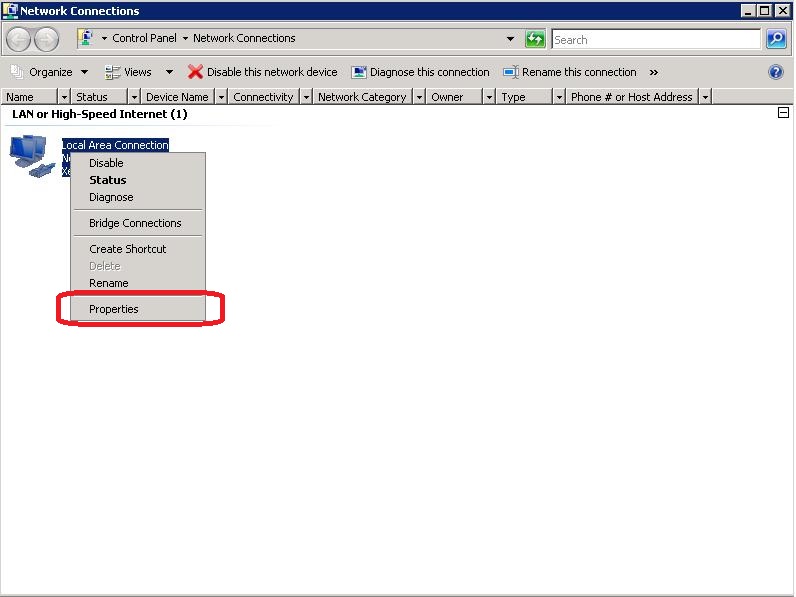
Step 3: Right click on 'Local Area Connection' and click 'Properties'.
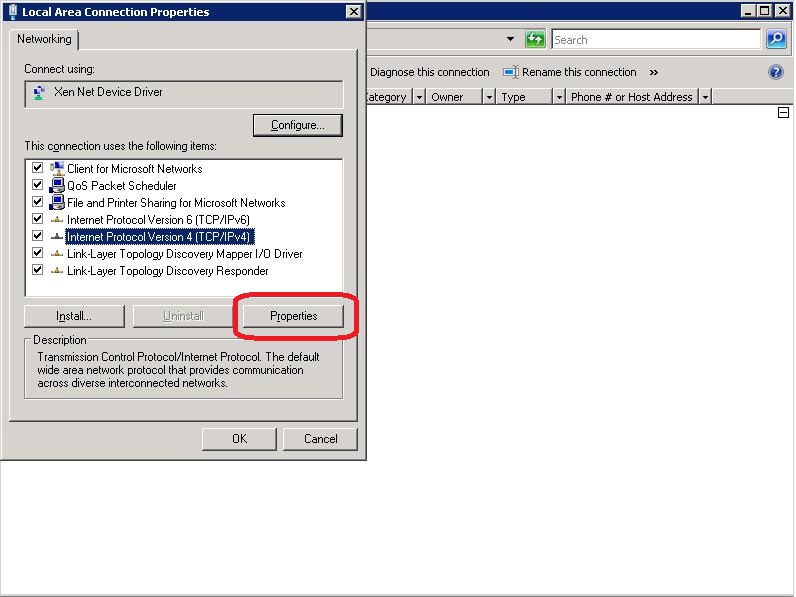
Step 4: Select 'Internet Protocol Version 4' and click 'Properties'
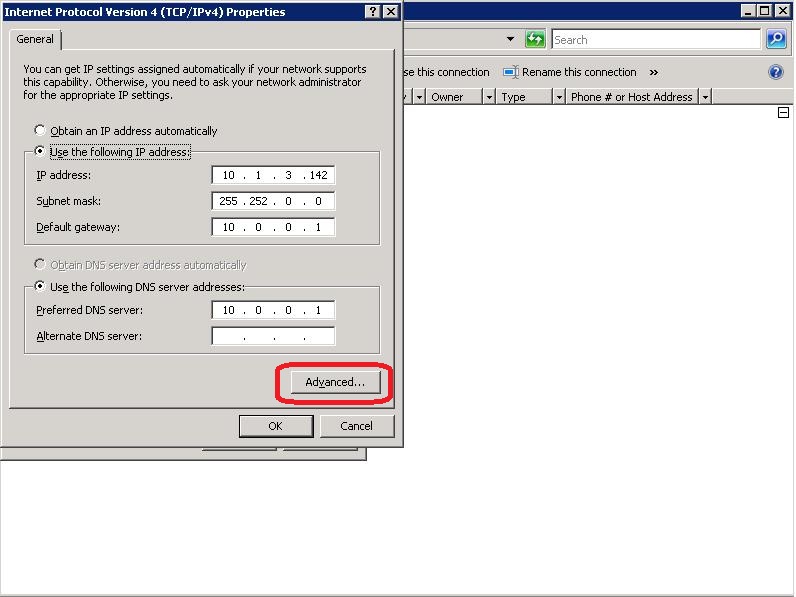
Step 5: Click 'Advanced'
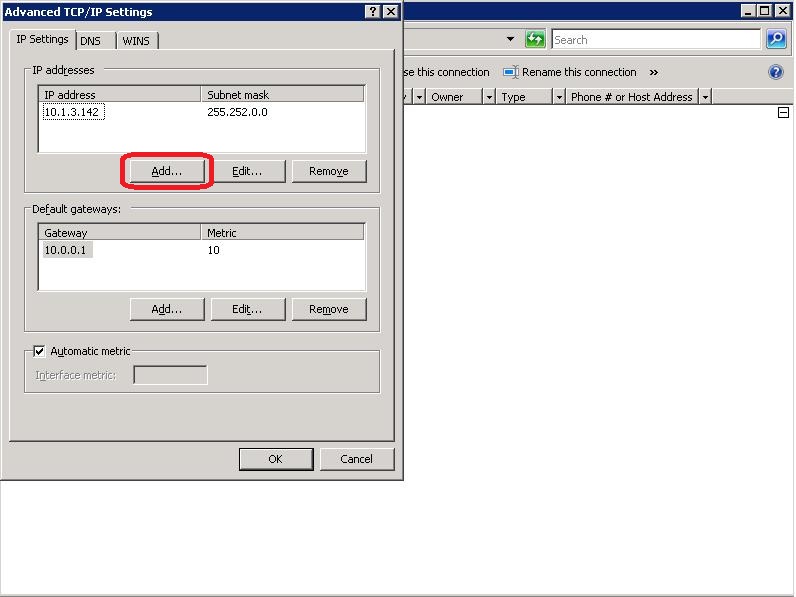
Step 6: Under the 'IP addresses' section click on 'Add'
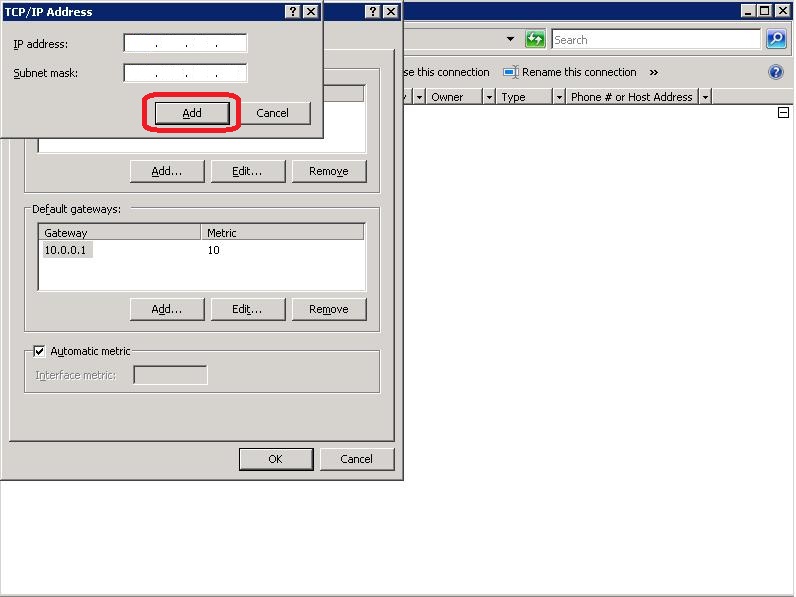
Step 7: Enter your additional LAN or Secondary IP and click 'Add'
Step 8: Click 'Ok' on all opened dialogs